
• Browse by State
    • California
    • Connecticut
    • Florida
    • Louisiana
    • Maryland
    • New York
    • Ohio
    • Pennsylvania
  • Registration & Title
    • Tag Renewal
    • Title Transfer Guide
    • Registration Guide
    • Vehicle Registration
    • Vehicle Titles
    • UCR Registration
    • Fleet Vehicles
  • Vehicles
    • Car Buying
    • Car Insurance
    • Care Maintenance
    • Electric Vehicles
    • Motorcycle
    • RVs & Motorhomes
  • Driving Safety & Laws
    • DUI Fines & Penalties
    • Driving Safety Guide
    • Safety Behind the Wheel
    • Pedestrian Saftey
    • Laws
    • Facts & Statistics
  • All Categories
    • DMV Forms
    • Change of Address
    • Drivers License
    • Travel
    • Family
    • Car Culture
    • Coronavirus
  • Home
  • Order Status
  • Privacy Policy
  • Terms & Conditions
  • Support

© 2026 ETAGS.COM
ETAGS AND THE ETAGS LOGO ARE
REGISTERED TRADEMARKS

Want to save money on car insurance?

Over 94% of Americans qualify for lower car insurance rates
Please enter your ZIP
View Quotes!
eTags – Vehicle Registration & Title Services
  • Browse by State
    • California
    • Connecticut
    • Florida
    • Louisiana
    • Maryland
    • New York
    • Ohio
    • Pennsylvania
  • Registration & Title
    • Tag Renewal
    • Title Transfer Guide
    • Registration Guide
    • Vehicle Registration
    • Vehicle Titles
    • UCR Registration
    • Fleet Vehicles
  • Vehicles
    • Car Buying
    • Car Insurance
    • Care Maintenance
    • Electric Vehicles
    • Motorcycle
    • RVs & Motorhomes
  • Driving Safety & Laws
    • DUI Fines & Penalties
    • Driving Safety Guide
    • Safety Behind the Wheel
    • Pedestrian Saftey
    • Laws
    • Facts & Statistics
  • All Categories
    • DMV Forms
    • Change of Address
    • Drivers License
    • Travel
    • Family
    • Car Culture
    • Coronavirus
California driving
  • California
  • Title Transfer

How To Transfer a Vehicle Title in California Online with eTags.

  • May 28, 2026
  • In order to legally claim ownership of a vehicle in the state of California, you must transfer the title into your name.
  • A title transfer will require a bit of information, including: VIN, sale date, purchase price, and type of transfer.
  • Transfer your California vehicle title online quickly and easily with eTags.com.

Hey there, California friends. If you’ve just bought a vehicle via private sale and need to transfer the title into your name but don’t know where to start, you’ve come to the right place. In this article, we’ll walk you through the simple process of how to transfer a vehicle title in California online with eTags.

Use eTags© to Quickly Complete Your DMV Service. Renewals, Title Transfers and More, All Online!

How To Transfer a Vehicle Title in California Online with eTags.

Step One.

Head over to our dedicated California title transfer page here, and click the yellow Get Started Here button.

Step Two.

From the drop-down menu, choose the state from which the vehicle is currently titled.

Step Three.

Specify which kind of California title transfer you require. Your choices will be:

  1. Purchase/Sale: You bought a vehicle and need to transfer ownership to your name.
  2. Family Transfer: This is a transfer between immediate family members or domestic partners.
  3. Gift Transfer: For when you’ve received a vehicle as a gift and no money was exchanged.
  4. Other: This option is for inheritance, court order, or similar cases.

Once you’ve chosen the appropriate transfer type, go ahead and click Next.

Step Four.

Identify the vehicle by entering the license plate number and last four digits of the VIN or the complete VIN (vehicle identification number). The VIN can be found on the title, on the dashboard of the driver’s side, and occasionally on the outer edge of the driver’s seat. After entering this information, click Next.
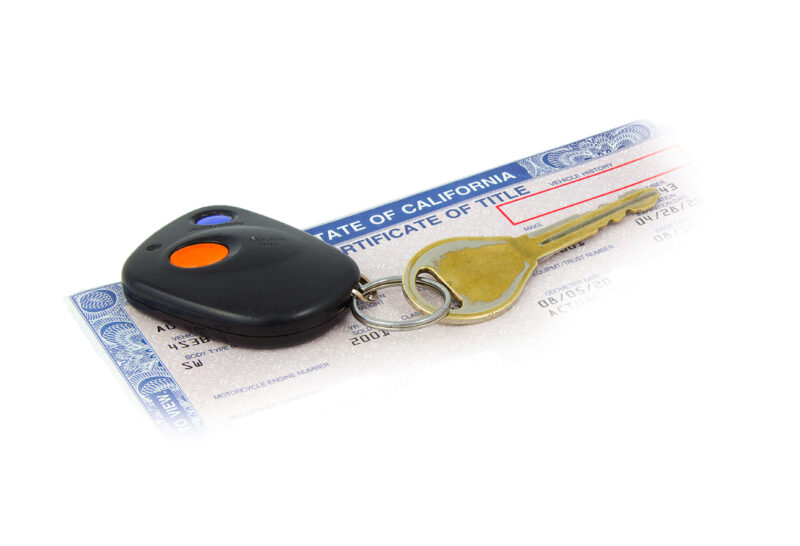
California vehicle title transfer

Step Five.

Provide your purchase date, the purchase price, and the current mileage of the vehicle. It’s very important to enter the correct details here, as this information will determine the fees for your transfer (and registration), along with any future assessments of value.

Step Six.

Provide the legal name (or names, if there will be two new owners) to be printed on the new title. For an individual (or partners) enter the first and last name(s). For a company, enter the full legal business name as documented on any letters of incorporation.

Step Seven.

Enter your contact information. You will need to supply:

  1. An email address
  2. A mobile phone number

Transfer your California vehicle title online with eTags

Step Eight.

Review the details of your order on your summary page. You will have the chance to look over and edit the following sections:

  • Contact information
  • Order details

For any necessary corrections, click “Edit Contact Information” or “Edit Order.” You will also see a list of your estimated fees clearly displayed on the right side of the page. When you’re ready, click Checkout.

Step Nine.

Here you can browse through our terms and conditions and select your payment option. You can choose from:

  1. Credit card
  2. PayPal
  3. Affirm

Enter your payment details, click Place Order, and it’s done! A California title trasnsfer expert will review your order and be in touch with any necessary further actions. Of course, if you have any questions or need assistance along the way, please feel free to reach out to us at any point. Because as always, at eTags, we’re here to help!


You May Also Like
New York
View Post

How to Transfer a Car Title in New York After the Death of the Owner

NY skyline
View Post

How to Transfer Your Title and Registration in New York

View Post

Skip the Line: Get Your Vehicle Title and Registration Done Online with eTags

Ohio skyline
View Post

How To Transfer Your Ohio Title and Registration Online with eTags

Handing over keys to a car
View Post

How To Transfer a Vehicle Title to a Family Member in New York

Vehicle paperwork
View Post

How To Order a California Replacement Title Online: 10 Easy Steps

Driving in California
View Post

How To Replace a Lost Sticker or Plate in California in 9 Easy Steps

View Post

How To Transfer Vehicle Title and Registration in Ohio

Leave a Reply Cancel reply

Your email address will not be published. Required fields are marked *

eTags Vehicle Services
Registration Renewal Title Transfer Title Replacement New Registration
  • Home
  • Order Status
  • Privacy Policy
  • Terms & Conditions
  • Support
VEHICLE TITLE AND REGISTRATION SERVICES

© 2026 ETAGS.COM ETAGS AND THE ETAGS LOGO ARE REGISTERED TRADEMARKS ETAGS.COM IS A PRIVATELY OWNED WEBSITE AND SERVICE, AND IT IS NOT OPERATED BY ANY GOVERNMENT AGENCY.

Input your search keywords and press Enter.