If you’re a vehicle owner in California, there is a non-negotiable task that must be performed on a yearly (12-month) basis: registration renewal. While this might seem like a headache for both new and seasoned drivers, eTags makes California registration renewal a quick and simple process. In this article, we’ll review some key points regarding renewals, as well as guide you through how to get your renewal done online fast.
Use eTags© to Quickly Complete Your DMV Service. Renewals, Title Transfers and More, All Online!
California Vehicle Registration Renewal Pointers
- There is no grace period for renewals. Your registration must be renewed on or before its expiration date.
- Expiration dates are generally the same each year and will be listed on your registration card and on your license plate sticker/decal.
- You may need to show proof of auto insurance and smog inspection to renew
- The CA DMV will send a renewal notification 60-90 days before the expiration date.
- When you renew with eTags, we will always notify you of your upcoming renewal date via convenient email and/or text message.
Renew Your California Vehicle Registration Online with eTags
Registration renewal is easy with eTags. Complete this process from the convenience of any internet-enabled device!
Step One: Visit our dedicated California registration renewal page . Click the Get Started Here button.
Step Two: Enter your vehicle’s license plate number along with the last three digits of the VIN (vehicle identification number).
Step Three: Confirm your plate expiration information. You will see the expiration date and how many days left until the deadline. If this is correct, click Yes, This is Correct. Otherwise, click No, This is Incorrect to go back and fix any errors.
Step Four: Provide the registered owner’s legal first and last name. If the owner is a business, click Company and fill in the full company name. Then click Next.
Step Five: Fill in your contact details. You will need to provide both a working email address and mobile phone number. If you’d like to receive order updates and timely, helpful reminders about your next renewal, click the blue box. Then click Next. 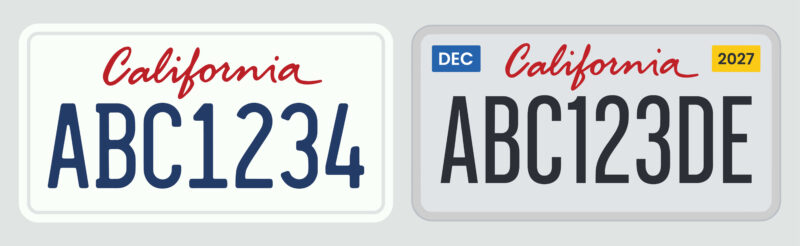
Step Six: Enter your shipping address. Check the blue box below to have your documents shipped overnight (for a fee of $39.95) once they are ready. Then click Next.
Step Seven: On your summary page you will be able to review the following details:
- Mobile number and email address
- Vehicle information
- Shipping address
- A breakdown of fees
If any of the details need editing, click the Edit button in the corresponding section. If you have a second vehicle that is due for a registration renewal, you can click Add Another Vehicle. Please note that you can only add a second vehicle for the same service. For any service other than registration renewal, please complete this order first and begin a new order after.
Once you’ve reviewed this page, you are ready to click Checkout.
Step Eight: This is your final step in the renewal order process. Please take a moment to read our terms and conditions, enter your payment details, and when you are ready, go ahead and click Pay.

California Registration Renewals Made Easy
eTags makes California renewals easy. As soon as the DMV approves your renewal request, we will immediately send you an electronic copy of your renewed registration card to print and keep with you until your paper document arrives.
Of course, if you need assistance at any time during the renewal process, please don’t hesitate to reach out to us. Our registration experts are happy to lend a hand. Because as always, at eTags, we’re here to help!