• Browse by State
    • California
    • Connecticut
    • Florida
    • Louisiana
    • Maryland
    • New York
    • Ohio
    • Pennsylvania
  • Registration & Title
    • Tag Renewal
    • Title Transfer Guide
    • Registration Guide
    • Vehicle Registration
    • Vehicle Titles
    • UCR Registration
    • Fleet Vehicles
  • Vehicles
    • Car Buying
    • Car Insurance
    • Care Maintenance
    • Electric Vehicles
    • Motorcycle
    • RVs & Motorhomes
  • Driving Safety & Laws
    • DUI Fines & Penalties
    • Driving Safety Guide
    • Safety Behind the Wheel
    • Pedestrian Saftey
    • Laws
    • Facts & Statistics
  • All Categories
    • DMV Forms
    • Change of Address
    • Drivers License
    • Travel
    • Family
    • Car Culture
    • Coronavirus
  • Home
  • Order Status
  • Privacy Policy
  • Terms & Conditions
  • Support

© 2025 ETAGS.COM
ETAGS AND THE ETAGS LOGO ARE
REGISTERED TRADEMARKS

Want to save money on car insurance?

Over 94% of Americans qualify for lower car insurance rates
Please enter your ZIP
View Quotes!
eTags – Vehicle Registration & Title Services
  • Browse by State
    • California
    • Connecticut
    • Florida
    • Louisiana
    • Maryland
    • New York
    • Ohio
    • Pennsylvania
  • Registration & Title
    • Tag Renewal
    • Title Transfer Guide
    • Registration Guide
    • Vehicle Registration
    • Vehicle Titles
    • UCR Registration
    • Fleet Vehicles
  • Vehicles
    • Car Buying
    • Car Insurance
    • Care Maintenance
    • Electric Vehicles
    • Motorcycle
    • RVs & Motorhomes
  • Driving Safety & Laws
    • DUI Fines & Penalties
    • Driving Safety Guide
    • Safety Behind the Wheel
    • Pedestrian Saftey
    • Laws
    • Facts & Statistics
  • All Categories
    • DMV Forms
    • Change of Address
    • Drivers License
    • Travel
    • Family
    • Car Culture
    • Coronavirus
Vehicle paperwork
  • California
  • Replacement Title

How To Order a California Replacement Title Online: 10 Easy Steps

  • April 20, 2026
261 views
  • A certificate of title is an all-important document that you must have on hand in order to buy, sell, or drive a vehicle legally.
  • If you've lost or damaged your California certificate of title, you're in luck: eTags can help you obtain a replacement title quickly and easily.
  • Some information you will need to have ready to order your replacement title: VIN, license plate number, and the year, make, and model of the vehicle.

No one likes losing things. Least of all when those things are important documents. And if that document is a vehicle certificate of title, we know how frustrating it can be when that essential paper has been lost, misplaced, or damaged. In this guide, we will walk you through how to replace your California title online quickly and easily with eTags.  This article will cover the following key points:

Use eTags© to Quickly Complete Your DMV Service. Renewals, Title Transfers and More, All Online!

*Why a Certificate of Title is So Important

*Who Can Apply for a Replacement Title

*How to Order Your California Replacement Title Online

Why a Certificate of Title is So Important

A vehicle title is more than just a piece of paper: it is proof of legal ownership of a vehicle. This includes cars, trucks, SUVs, RVs, motorbikes, and vessels. Without a title, a vehicle should not be driven and cannot be bought or sold. So, if your title has been defaced (stained, corrected, torn, etc) or has gone missing, it’s essential that you order a replacement as soon as possible.

Who Can Apply for a Replacement Title

In the state of California, only the titled owner of the vehicle may apply for a replacement document. This means that unless your name (or the name of your business) was printed on the front of the title and you are on record with the California DMV as such, you cannot order a duplicate. Only the legal owner of the car can seek a replacement title.

Vehicle paperwork

How to Order Your California Replacement Title Online

Ordering a replacement title online in California is easy with eTags. Here’s how to get it done:

1. Head over to eTags.com, select California as your state from our pop-up menu, and choose Replace Lost Title.

2. Confirm that your name appears on the front of the lost/damaged title that you are looking to replace.

3. Enter your license plate number and the last 3 digits of your VIN or your full VIN (vehicle identification number). Your VIN can be found on the driver’s side dashboard, on your insurance card, and sometimes on the bottom outer base of the driver’s seat.

4. Confirm your vehicle information. You will need the following details handy:

  1. Your full VIN
  2. Vehicle type
  3. Vehicle make
  4. Vehicle year

5. Provide the name of the registered owner. This can be either your first and last name, or the full name of the business that owns the vehicle.
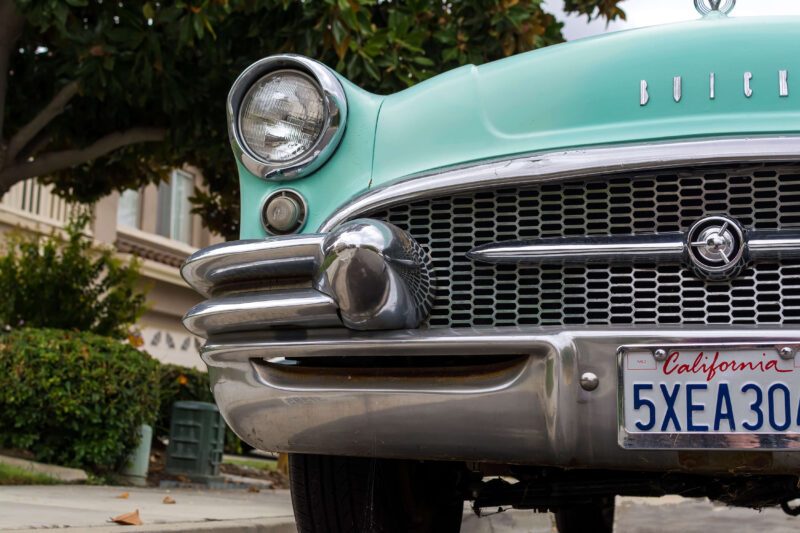
Vintage car with California plate

6. Choose the reason for your replacement. Your option will be:

  1. Your title was lost
  2. Your title was stolen
  3. You never received your title from the DMV

7. Enter your contact information. You’ll need to provide both an email address and mobile phone number.

8. Supply a shipping address where you’d like your replacement title to be sent. If this address is different from the one on record with the DMV, please indicate this by clicking the blue box below and providing the address that is on file with the DMV as well. You may need to confirm your address to match the USPS format. Please review this and proceed.

9. This is your summary page. Take a moment to look over the details here, including contact, vehicle, and shipping info. If you need to make any changes, choose the edit button according to what needs correcting. If everything is good to go, click Checkout. Order your California replacement title online with eTags

10. This is your final step. Select the payment method that works best for you – credit card, PayPal, or affirm – enter your details, review our terms and conditions, and when you’re ready, click Place Order.

And that’s it! That’s how easy it is to order a replacement title with eTags. Now, if at any time you find you need a hand during this process, don’t hesitate to reach out. We have a team of title experts happy to assist. Because as always, at eTags, we’re here to help!

You May Also Like
Driving in California
View Post

How To Replace a Lost Sticker or Plate in California in 9 Easy Steps

coffee spilled on documents
View Post

Lost or Damaged New York Title? How to Order Your Replacement Online with eTags.

Car parked at a FL beach
View Post

Lost Florida Vehicle Title? How to Order Your Replacement Online.

Vehicle paperwork
View Post

Replace Your Title Online in Maryland with eTags

paperwork
View Post

The Most Common Automotive Documents in California: Why They Matter

driving in california
View Post

New Road Rules for California in 2026

Maryland
View Post

How to Replace a Certificate of Title in Maryland

State of California
View Post

Online Registration Renewal in California: A How-To

Leave a Reply Cancel reply

Your email address will not be published. Required fields are marked *

eTags Vehicle Services
Registration Renewal Title Transfer Title Replacement New Registration
  • Home
  • Order Status
  • Privacy Policy
  • Terms & Conditions
  • Support
VEHICLE TITLE AND REGISTRATION SERVICES

© 2025 ETAGS.COM ETAGS AND THE ETAGS LOGO ARE REGISTERED TRADEMARKS ETAGS.COM IS A PRIVATELY OWNED WEBSITE AND SERVICE, AND IT IS NOT OPERATED BY ANY GOVERNMENT AGENCY.2

Input your search keywords and press Enter.