
In the state of Connecticut, vehicle owners are required to renew their registration every two years. Usually, a notice of renewal will be sent out via mail or email at around the 45-day mark before the renewal is due. If your car, truck, or SUV is up for renewal and you’re not sure where to start, you’ve come to the right place. Online registration renewal for Connecticut vehicles is quick and easy with eTags. And in this article we’re going to guide you step-by-step through the process.
Use eTags© to Quickly Complete Your DMV Service. Renewals, Title Transfers and More, All Online!
Ready? Here goes:
How to Renew Your Connecticut Vehicle Registration Online with eTags:
1. Head over to our homepage and select Connecticut as your state of residence.
2. Choose “Renew Registration” from the next pop-up menu and click “Continue.”
3. Enter the license plate number and the last six digits of the VIN (vehicle identification number) of the car, truck, or SUV whose registration you’d like to renew.
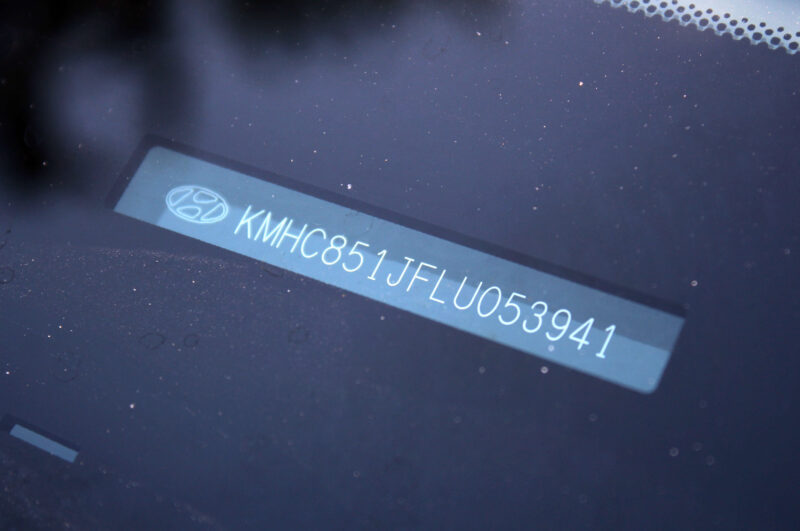
4. Next you will be asked to confirm the details of your vehicle, including the year, make, and model.
5. This screen asks you to provide your contact information. Both your email address and phone number will be necessary here.
6. Here is the space for declaring whether the vehicle belongs to an individual or a company. For an Individual, please enter the first and last name of the owner as it is written on government-issued identification, such as a driver’s license. If a company owns the vehicle, select “Company” and enter its full name here. This name must also match what is listed on official company documents. If there is a co-owner, you have the option to list that person here as well.
7. You’ve reached your summary page. It is here that you can review the details of your order such as the year, make, and license plate of the vehicle, as well as the email address and phone number you’ve provided. If you need to edit any of the information, go ahead and click the “Edit Order” link. This is also the spot where you can add another vehicle that is due for renewal by clicking “Add another vehicle.” Please note that you can only add a second vehicle for the same service – meaning, a renewal. So if there are other services you require, please start a new order after you have completed this one.
If everything looks good here, you are ready to checkout, which you can do by clicking “Checkout.”

8. The last step in this online process is your payment page. You’ll have one more opportunity to edit your order or add a second vehicle. Otherwise, moving on, this is were you’ll find our terms and conditions to review, and if you agree to them, you are all set to enter your credit card information and place your order!
And there you have it, friends: how to renew your Connecticut registration online. Of course, if you need any assistance throughout the process, please don’t hesitate to reach out to us. Because as always, at eTags, we’re here to help!