
If you and your vehicle have just moved to Florida, let us be among the first to welcome you to the Sunshine State: Welcome! And because transferring your car’s title and registration is a must, (within 10-30 days of establishing residency) and probably the last task on your long to-do list, we thought we’d make your life a bit easier with a handy how-to when it comes to making your car, truck, or SUV roadworthy in the state of Florida.
Use eTags© to Quickly Complete Your DMV Service. Renewals, Title Transfers and More, All Online!
How To Transfer Your Out-of-State Title and Registration to Florida
1. Head over to our homepage and select Florida as your state.
2. Choose “Moved to Florida” and “Continue” from the menu.
3. Select the state from which your current title originated.
4. This page asks if you do indeed have the most recent title for the vehicle. If you do not have your title you will need to apply for a replacement (duplicate) from the DMV in your former state of residence before you can proceed with any transfers. Otherwise, click “Yes” here.
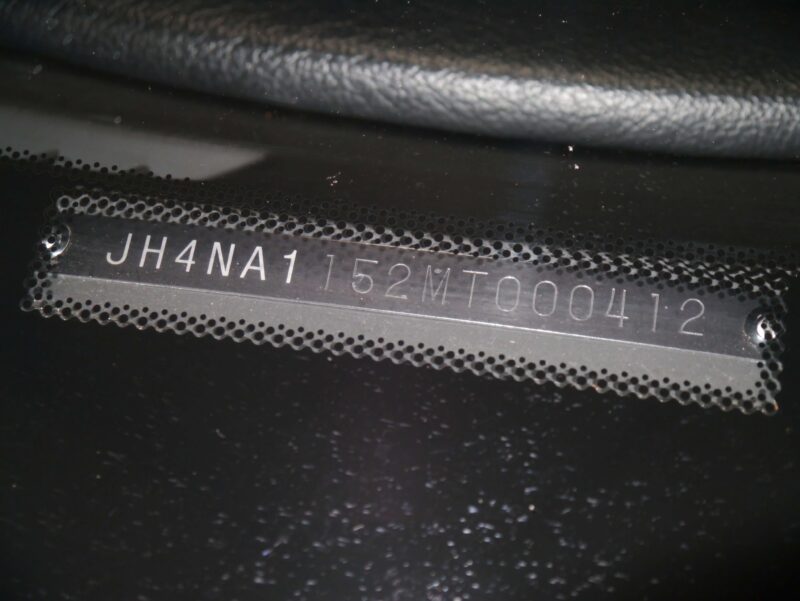
5. Next you’ll need to enter the VIN (Vehicle Identification Number).
6. The following screen will ask to confirm this by entering the year and make of the vehicle.
7. Now you will see a list of title transfer types from which you can select one of the two last options: these are both for transferring a title from out of state. One option will be a transfer where all the owner information on the title remains the same, while the other option is for a transfer where there needs to be an owner added or removed from the title.
8. This screen asks if you’ve owned the vehicle for over six months. Simply answer Yes or No.
9. Now select the vehicle type: motor vehicle, vessel, or trailer
10. Here is where you choose the type of registration. New residents will need to select the first option: “New Plate.” If you won’t be registering the vehicle, you can select “No Plate.” If there is a Florida plate in your name already that is still valid, you can choose to transfer it to this vehicle using the selection “Transfer Plate.”
11. This page asks whether the registered owner is an individual or company. Click the button that applies to you. You will then have the space to enter your full name, gender, and date of birth.
12. Now is the time to enter your address. Your legal place of residence in Florida must be provided for this section. If you wish to have your documents shipped to an alternative address, click the corresponding box below and enter your preferred shipping address.
13. You may be asked to confirm that this address is correct. If it is, go ahead and click “Next.”
14. Now you’ll see the space to provide your contact information: both an email address and phone number are required.
15. This is your summary page. If all the details here look good, you can click “Checkout.”
16. Finally, we come to the final step in the online transfer process: your payment page. Here is where you can read and accept eTags’ terms and conditions as well as choose your payment type: credit card or PayPal. And all that’s left to do is click “Place Order.”
And there you have it, folks. A clear, step-by-step guide on how to transfer your out of state title and registration to Florida. Of course, if you have any questions or need a hand at any point in this process, please feel free to reach out to us. Because as always, at eTags, we’re here to help!








6 comments
This omits a very important step. You have to get your mileage certified by your local police department or some other legal entity which stops the whole process. It’s not simple folks. You might as well do all of it yourself.
So true. We parked one of our vehicles because of having to run back and forth for months, through to months after expiration. Every visit to the DMV it was something more we needed! I don’t know but it seemed intentional to tell people Half of what they need then work them up slowly. I don’t know if Florida knows what reputation it has from other states , Texas to be specific. Texas considers flora .. floriDUH! Not bright at all. The reputation is not good! Now I understand why. It’s so unprofessional how they carry out business: I find this in MANY sectors of business here. Most dmv are a challenge but not like Fl. Texas is very stream lined. It’s busy but organized. Like my god! Tell people what they need to do and be done with it! How is it everyone knows a so much more or less than their coworker Its all they do so it should not be that complicated.
****Anyway, there is another document you need if your vehicle is still under financing and trust me , you can ONLY get it from the corporate office . I believe it’s called CERTIFICATE of sale and nope! TOTLE isn’t enough: Fla do better! ONE staffer said it was.. we went waited and then was given ANOTHER list and told we need the cert of sale. Even the dealership was confused about why this was needed. They offered for us to drive back to Texas and try and get a copy from the court house ……….. yeah, now you see why my car is still in the garage. Don’t know if I’ll be living here permanently but need to be legal. I have a car note but can’t drive the car.
Maybe I need to speak with the 15th person there [at a DMV] and perhaps they can clear it up….. Right now I’m just taking a break , maybe try again in couple months , so I don’t get too upset dealing with them
Necesito renovar el stiker de mi placa
Por favor contáctenos aqui: http://www.etags.com/support. Gracias.
I have written to you about this once before. I need a copy of my Florida registration. I went to NY on a visit a got pneumoniac then fell and broke my arm and in the rehab got Covid. I had no intention of staying in NY. After a while I had the car sent to NY and never registered it. My husband died and he was the car man. Now I left NY and moved to Alabama and need a copy of the registration to make things legal can you help me.
We may be able to assist you, but please be so kind as to direct your question to our customer support team. You can reach them here: http://www.etags.com/support. Thank you!